Git Workflow Cheat Sheet
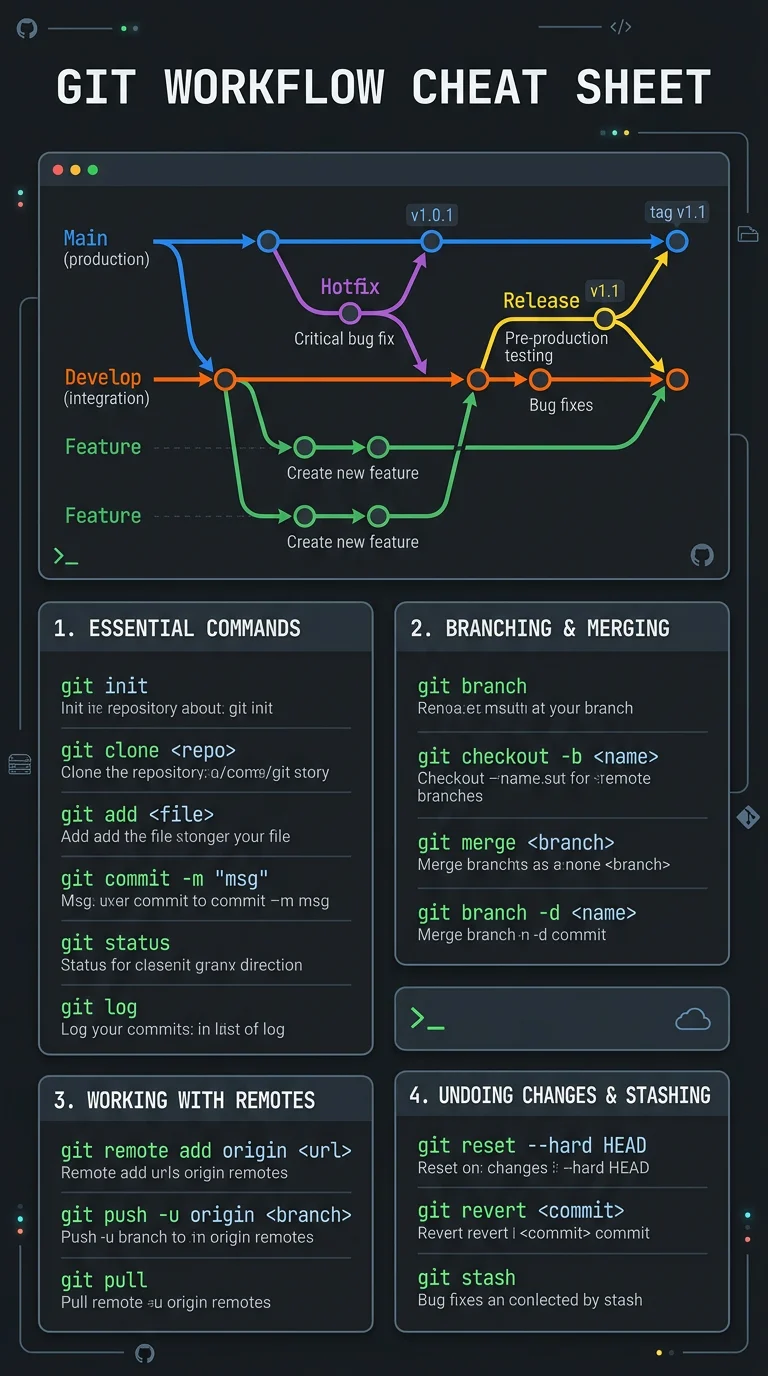
Visual guide to Git branching strategies showing feature branches, pull requests, merge vs rebase, and common commands with examples
About this example
Visual guide to Git branching strategies showing feature branches, pull requests, merge vs rebase, and common commands with examples
Prompt Preview
Create a technology infographic showing a Git workflow cheat sheet. Show a visual branching diagram with main, develop, and feature branches including merge and pull request flows. Include a section on the most common Git commands grouped by category: Setup (init, clone, config), Daily Work (add, commit, push, pull, status, diff), Branching (branch, checkout, switch, merge, rebase), and Fixing Mistakes (reset, revert, stash, cherry-pick). For each command show the syntax and a one-line description. Add a comparison of merge vs rebase with diagrams showing the commit history difference. Use a developer-friendly dark theme with terminal green, bright orange, and blue accents reminiscent of a code editor.
More Technology Examples
View all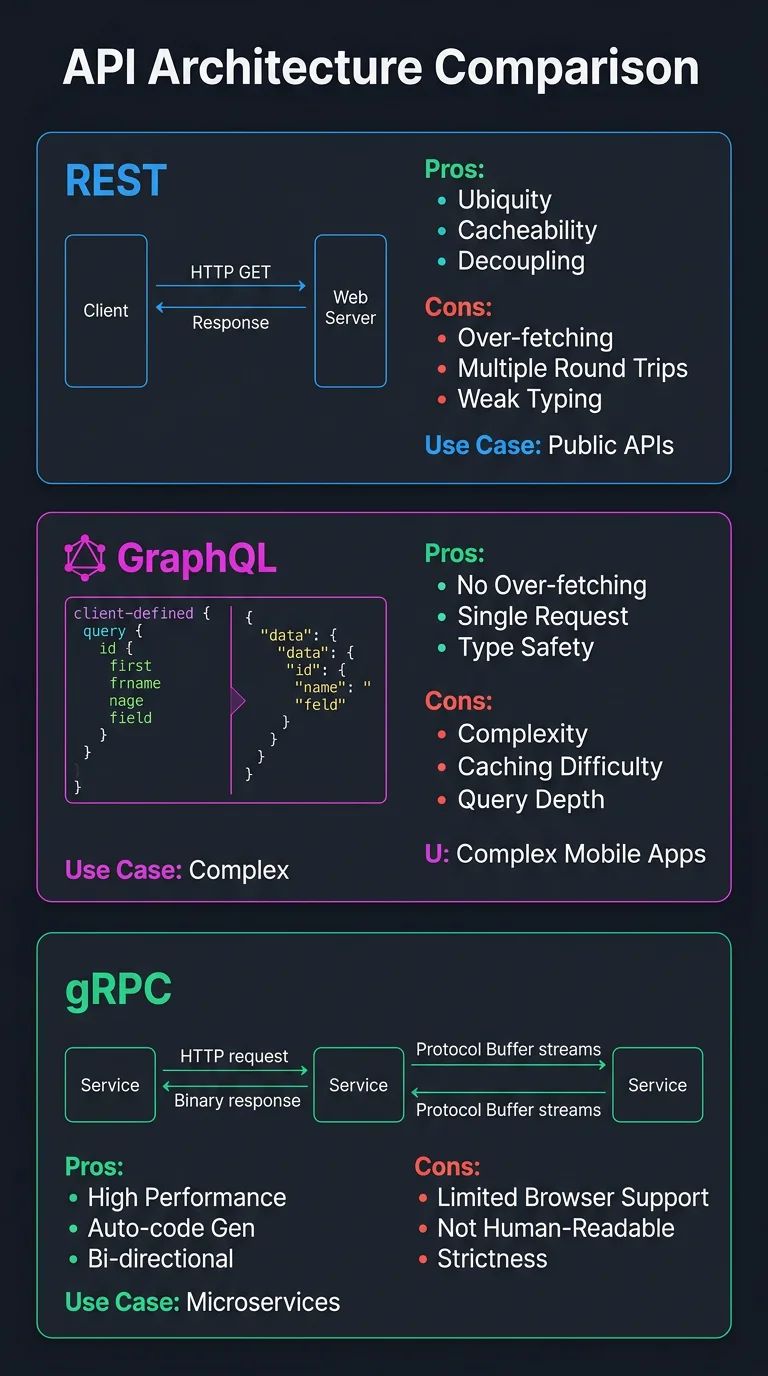
API Architecture Patterns Compared
Side-by-side comparison of REST, GraphQL, gRPC, and WebSocket APIs with use cases, pros and cons, and a decision guide
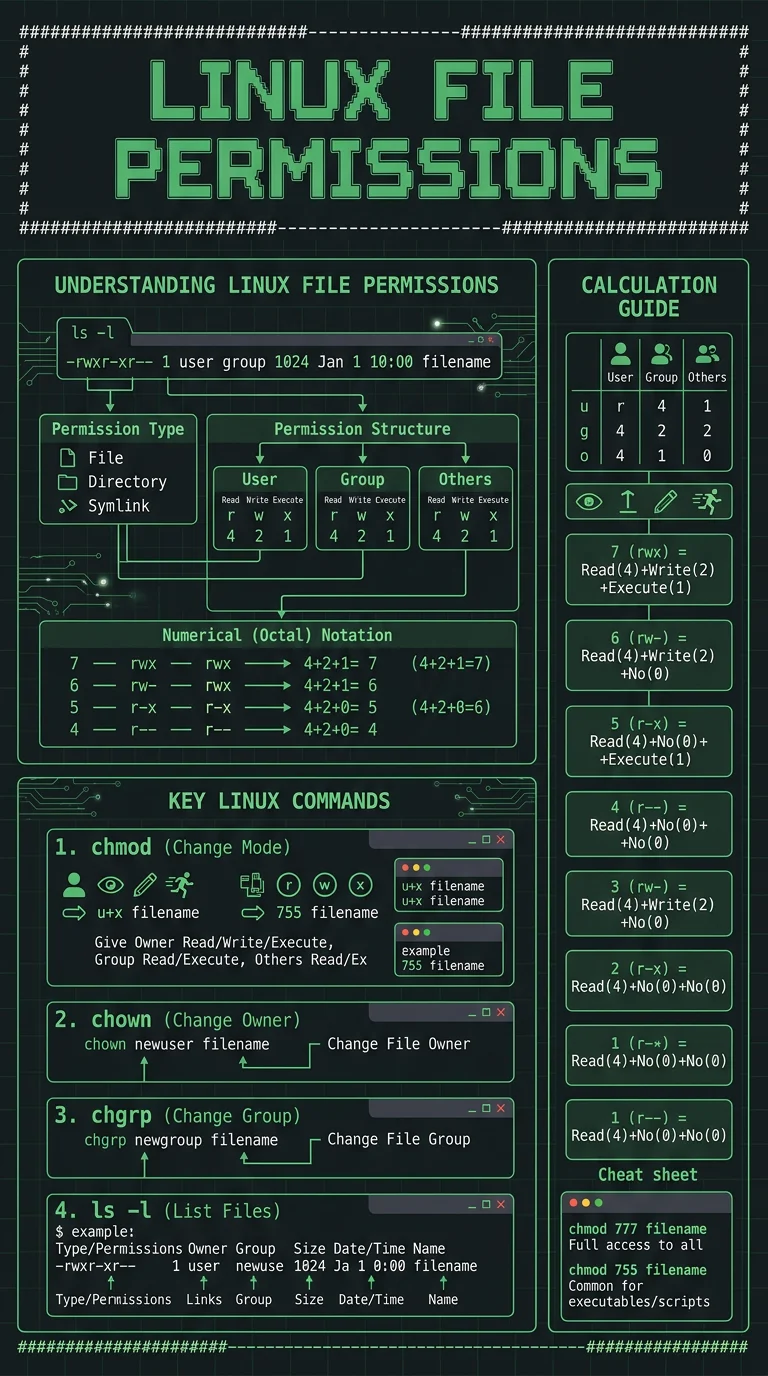
Linux File Permissions Explained
Visual guide to Unix file permissions showing rwx notation, octal codes, chmod commands, and ownership with real examples for common scenarios
Want to customize further?
Use this example as a base, then tweak the prompt, upload your own data, or add reference images for a fully custom result.
Generate from This Example