Lean Canvas One-Pager
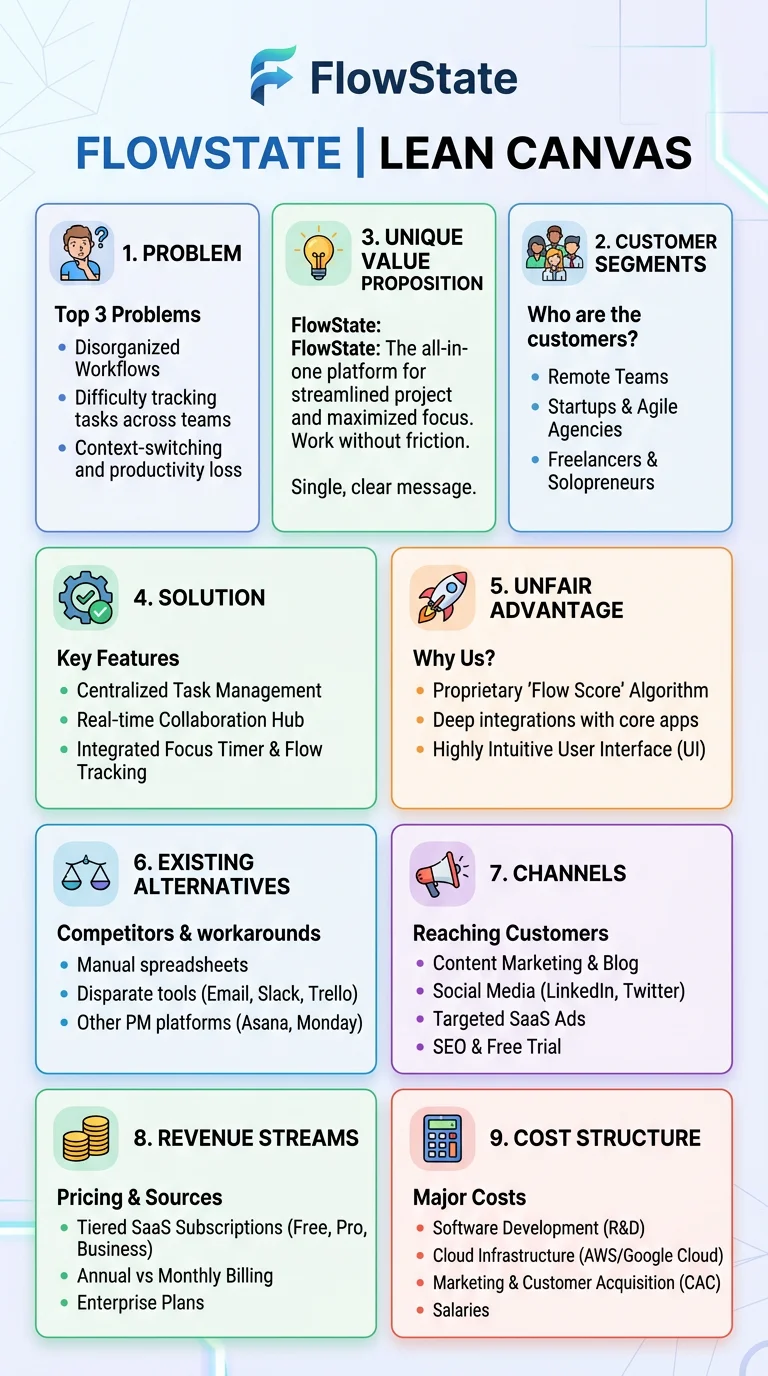
Visual template of the Lean Canvas framework with all 9 blocks explained including problem, solution, key metrics, unfair advantage, and revenue streams
About this example
Visual template of the Lean Canvas framework with all 9 blocks explained including problem, solution, key metrics, unfair advantage, and revenue streams
Prompt Preview
Create a startup infographic showing the Lean Canvas framework as a one-page visual template. Show all 9 blocks of the canvas in the standard layout: Problem (top-left), Solution (center-left), Key Metrics (bottom-left), Unique Value Proposition (center), Unfair Advantage (center-right), Channels (bottom-center), Customer Segments (top-right), Cost Structure (bottom-left wide), and Revenue Streams (bottom-right wide). For each block include a brief description of what goes there and 2-3 example bullet points from a hypothetical SaaS startup. Add tips on filling order (start with Problem and Customer Segments). Use a clean startup-friendly design with a light background, bold section borders, and color-coded blocks in muted purple, teal, coral, and gold.
More Startup Examples
View all
Startup Funding Stages Explained
Visual roadmap from pre-seed to IPO showing typical funding amounts, equity dilution, investor types, and milestones expected at each stage
SaaS Metrics That Actually Matter
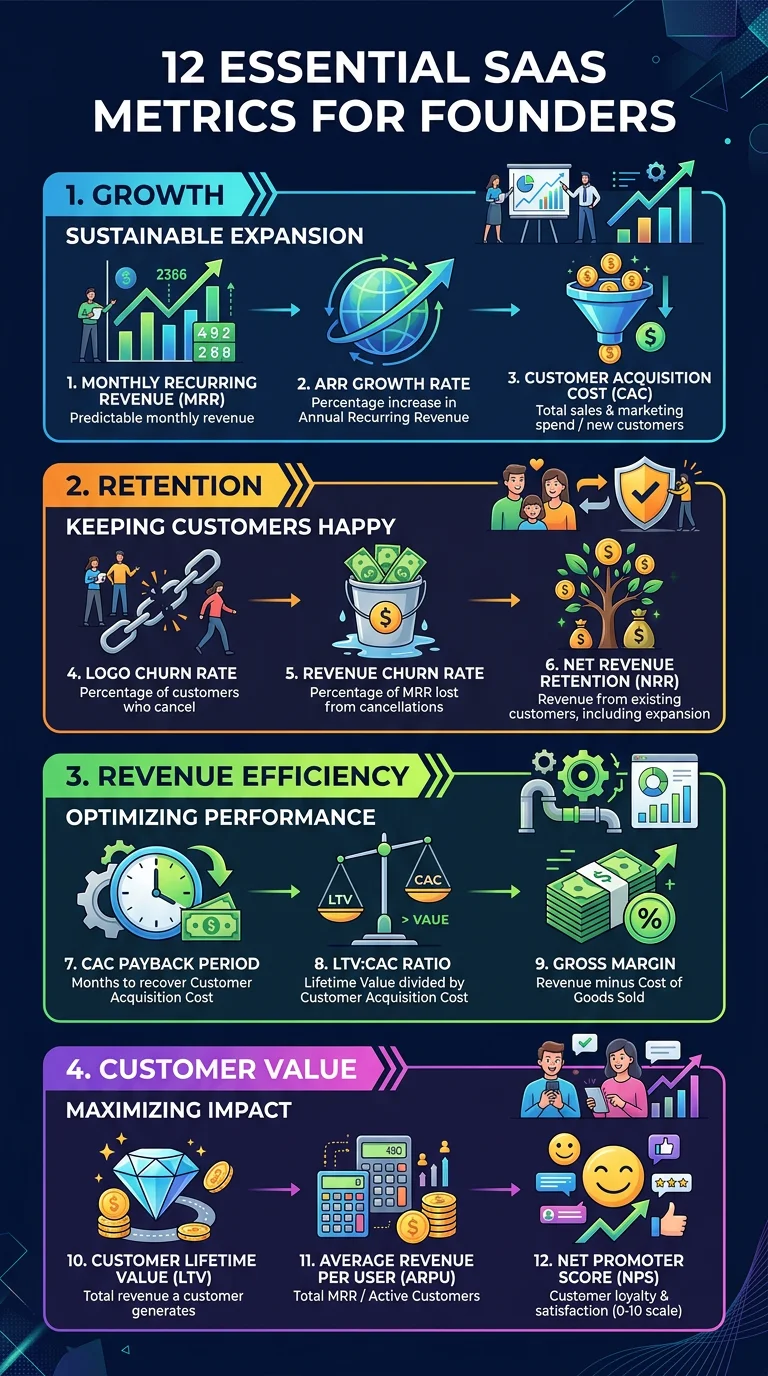
The 12 key SaaS metrics every founder should track including MRR, ARR, churn, LTV, CAC, burn rate, and runway with formulas and healthy benchmarks
Want to customize further?
Use this example as a base, then tweak the prompt, upload your own data, or add reference images for a fully custom result.
Generate from This Example